Problem Statement

Modern home cooks often find the cooking process stressful rather than enjoyable when following digital recipes. Current platforms rely heavily on manual navigation, forcing users to constantly touch their screens with messy hands to play, rewind, or pause video tutorials. This physical friction disrupts the cooking flow, leads to potential device damage, and causes frustration, ultimately discouraging users from trying new dishes.

The Challenge: How might we create a hands-free, multilingual cooking experience that allows users to focus on the food rather than the interface?

Objectives & Goals

Our mission is to bridge the gap between digital instructions and physical cooking through voice-controlled navigation and personalized, multilingual content

Integrate an AI Voice Assistant that allows users to navigate steps (Next, Back, Repeat) using only their voice.

Provide recipe content in three synchronized formats—Text, Audio, and Video—available in multiple regional languages to cater to a diverse user base.

Build a robust Recommendation Engine based on user dietary preferences and a Social Sharing feature to foster community trust.

Revolutionize the "kitchen workflow" to be so intuitive that users choose MAA over generic video platforms (like YouTube) for their cooking needs.

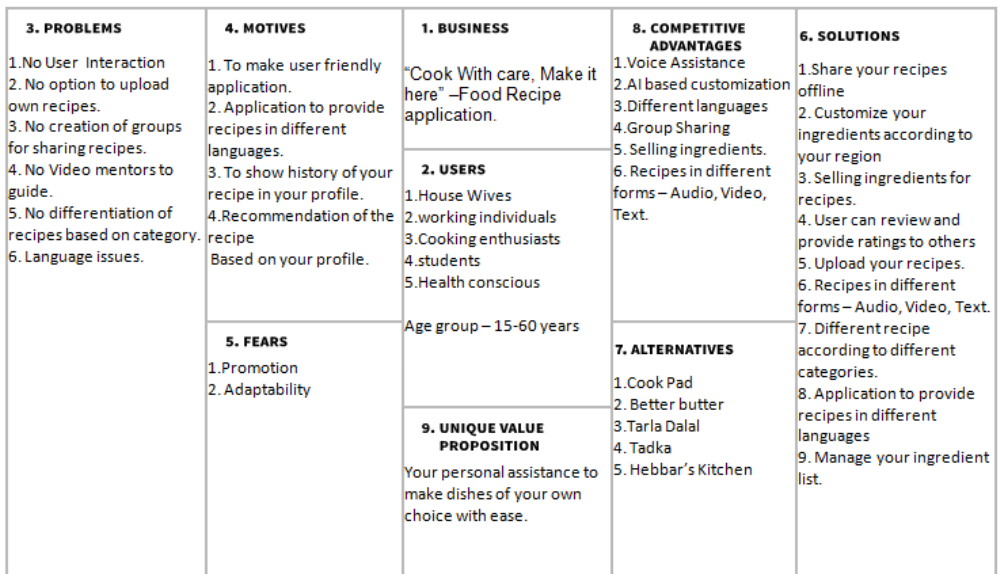
User Centered Design Canvas​

We designed UCD Canvas to deeply understand the needs, expectations and experiences of users, ensuring that the project progressed with user-centred approach

User Interviews

We designed open-ended questions to deeply understand the needs, expectations and experiences of users, ensuring that the project progressed with user-centred approach

Ice breaking with user : ( Will introduce our team and purposal to the user)

  1. What is your name?
  2. Age
  3. Gender

Introduction

  1. What is your Profession (house wife, student, cooking enthusiast, etc)
  2. Do you like cooking?
  3. Do you use recipe application in your mobile?
    1. If yes, Which Application you use?
    2. If no, Are you aware of recipe applications?
  4. Would you be interested in learning about recipe applications in using them in future. If yes why?

Usage

  1. What has been your experience using recipe applications (For people who have used the application)?
  2. How often do you use application?
  3. What do you consider to be the possible advantages of using applications for searching a recipe?
  4. Do you like video or images with textual instructions?
  5. What problems you face while searching a recipes and cooking suing it?

Aspirations

  1. What features would you expect from a recipe application?
  2. While choosing a recipe application which factors are most important to you? (Dish name, Difficulty in finding the ingredients, Cooking time, Ease of making, Etc)
  3. Which is your preferred way of seeing recipe? (Text, Audio or Video)

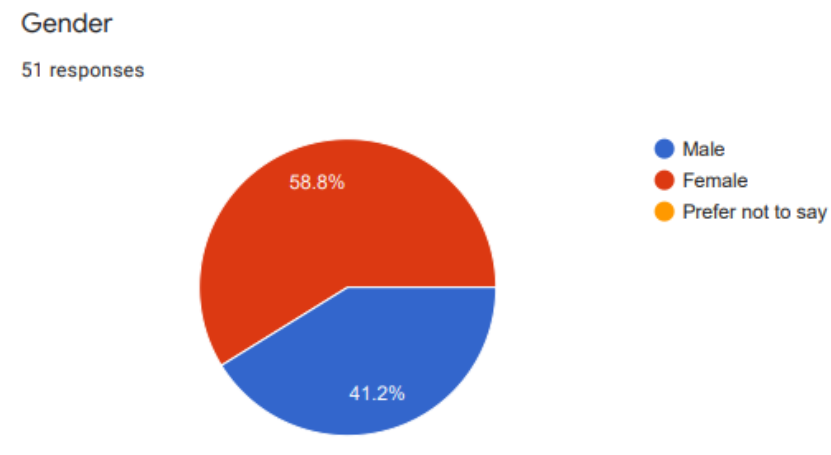
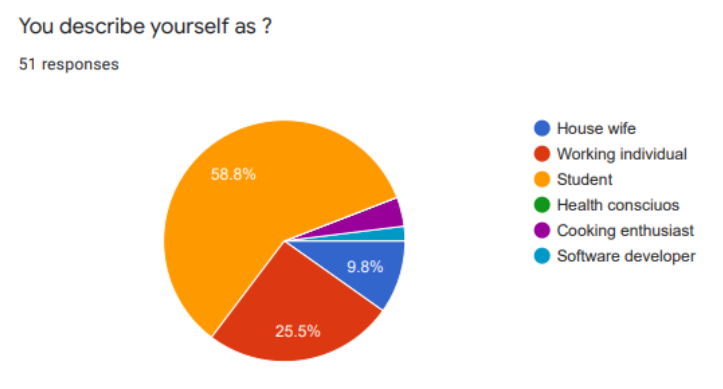
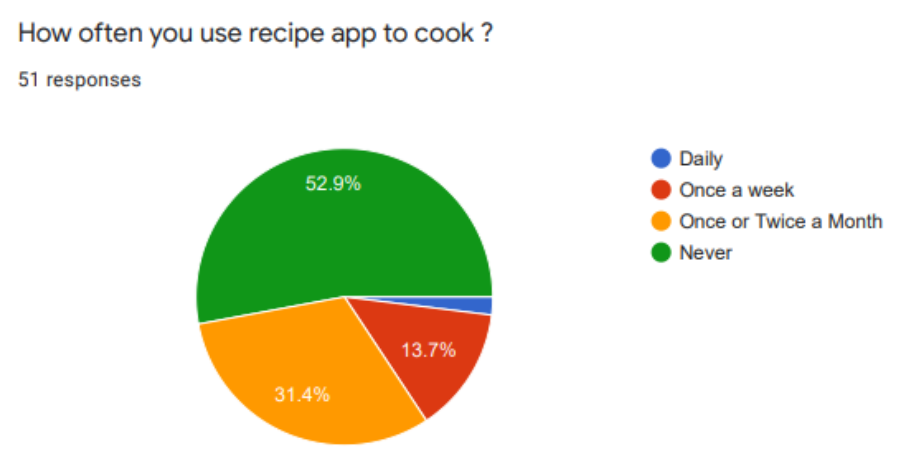
Survey Results

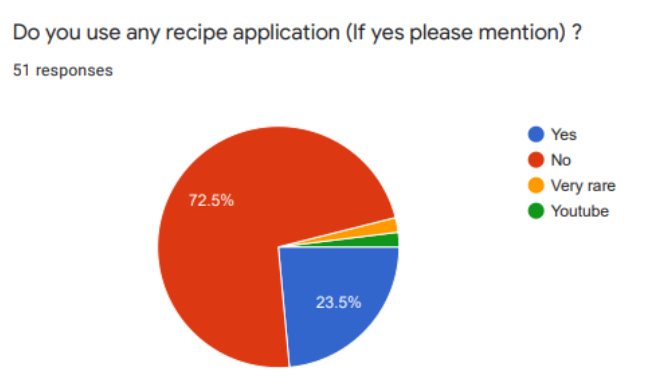
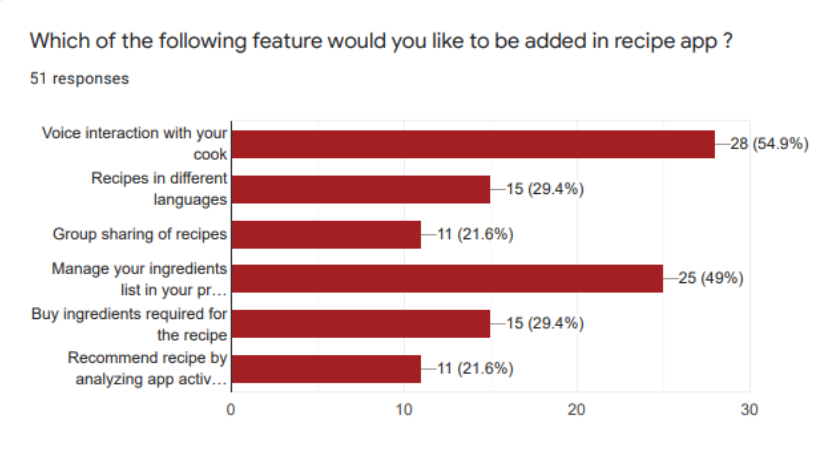
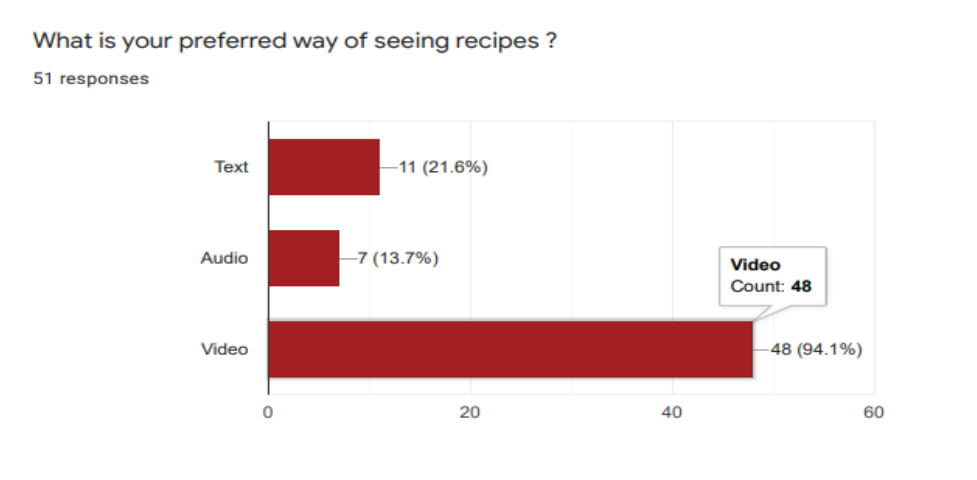
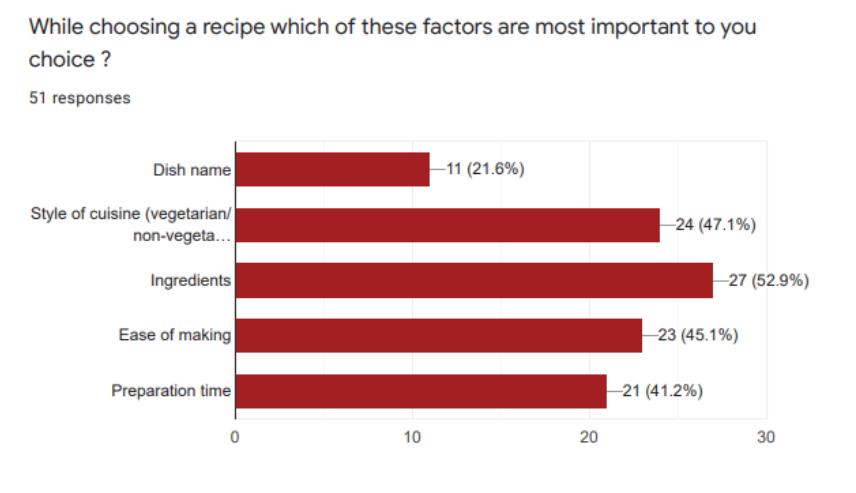
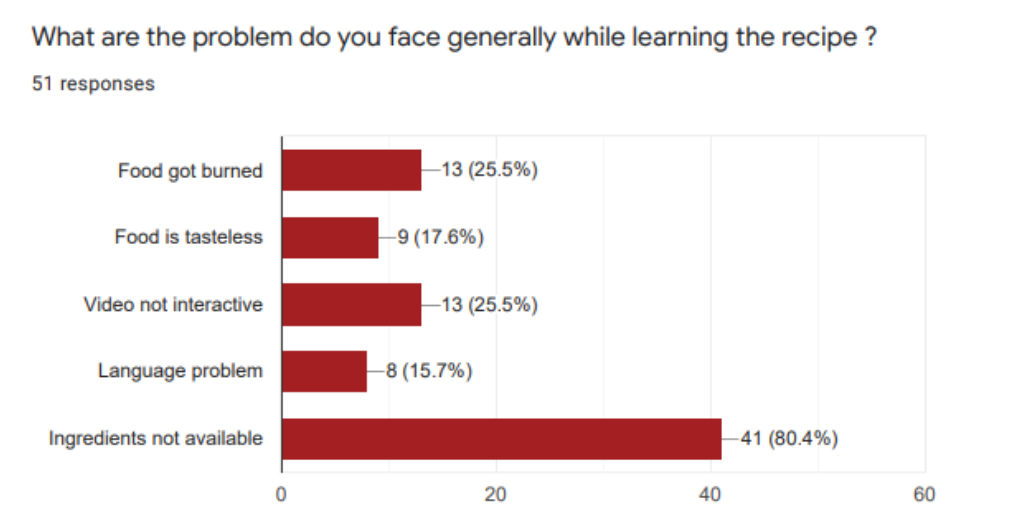
We did an online survey using Google Forms to observe any patterns and similarities in what the potential users may want. A total of 51 users responded, which assisted us in framing the problem properly.  

User Persona

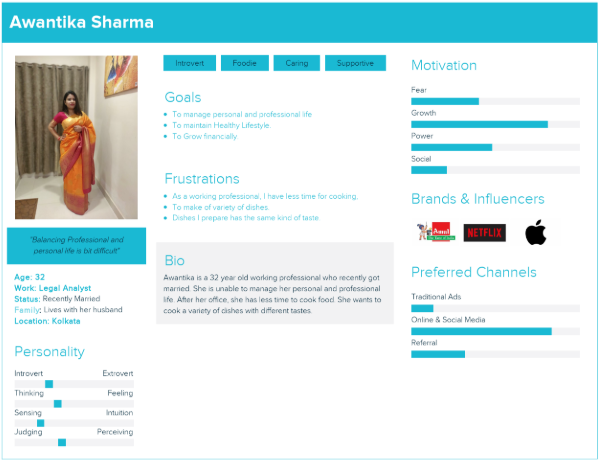
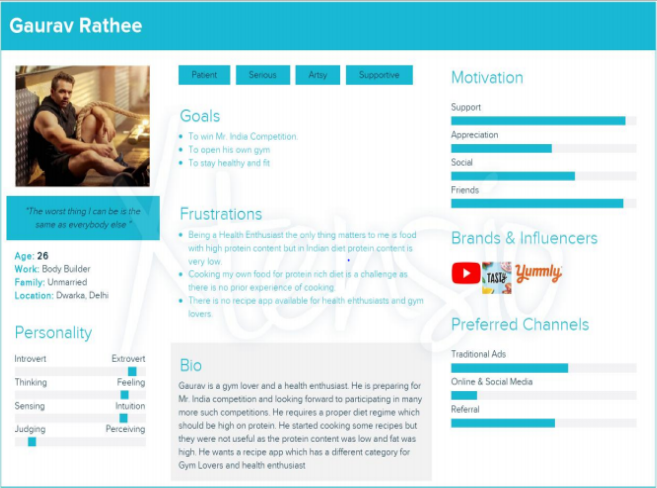
Using data from user research, I created user personas representing different user groups. These personas guide the project in user-centred design

Affinity Map

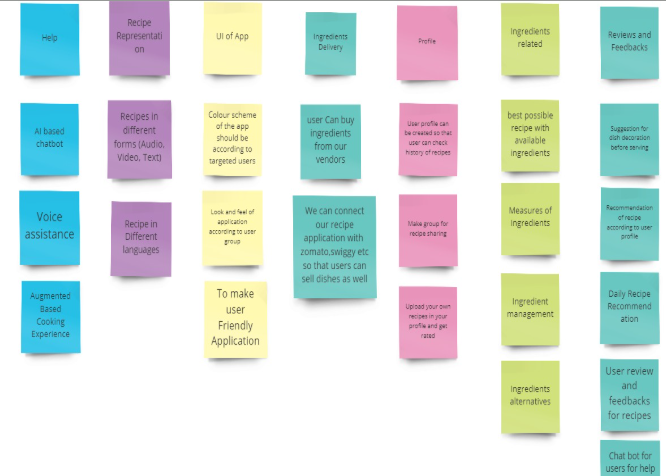
Affinity mapping wass done to categorie all the features under different sections which will further help in organising the information architecture.

User Flow

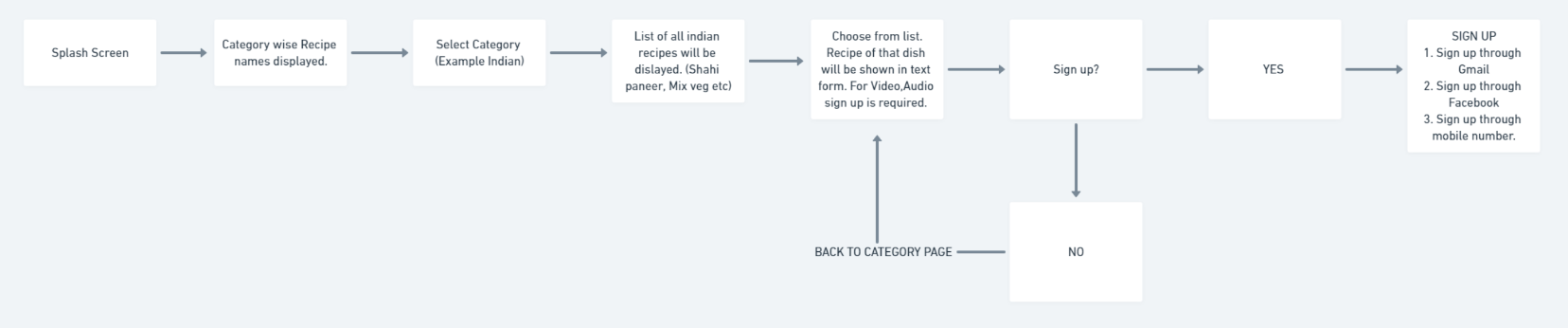
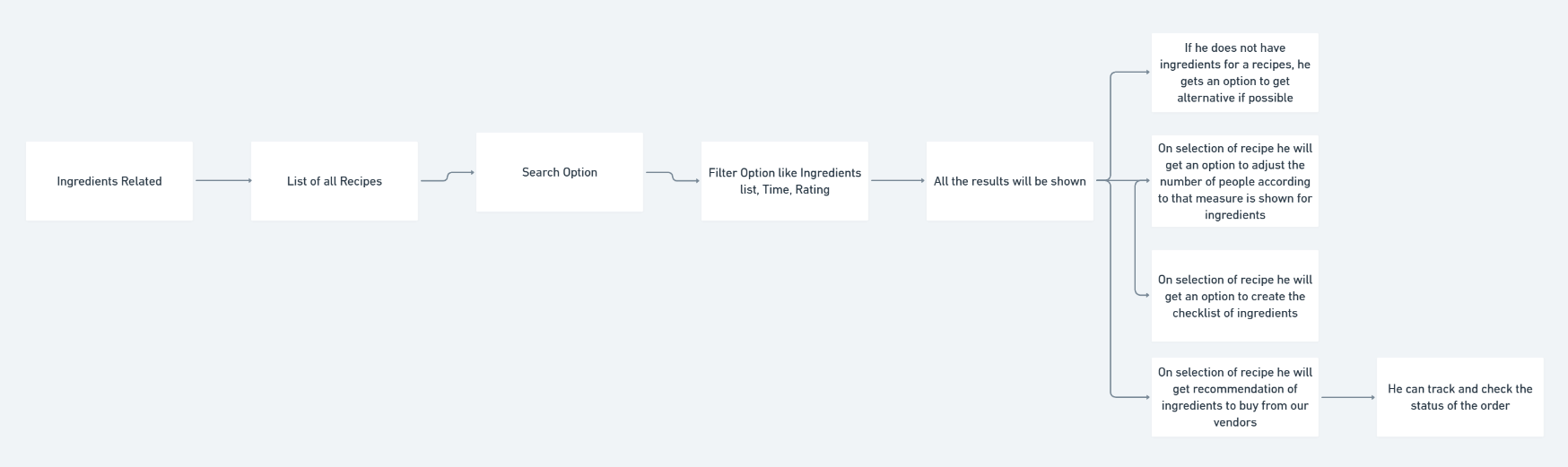
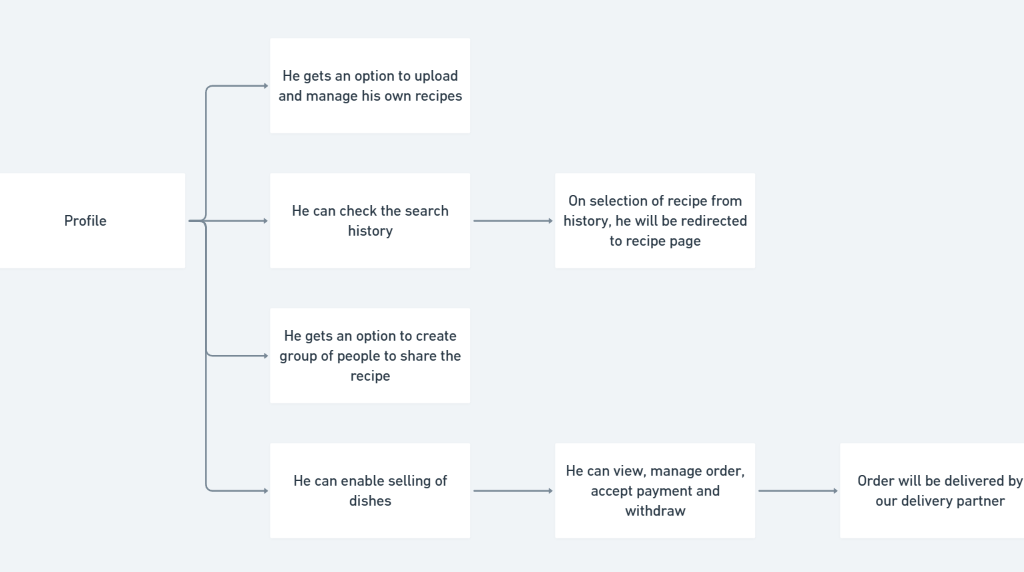
We created a flow using Whimsical to illustrate how the user will navigate through the application

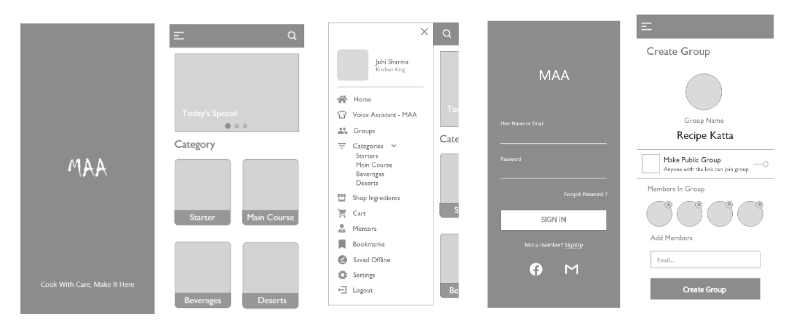
Low-Fidelity Wireframes

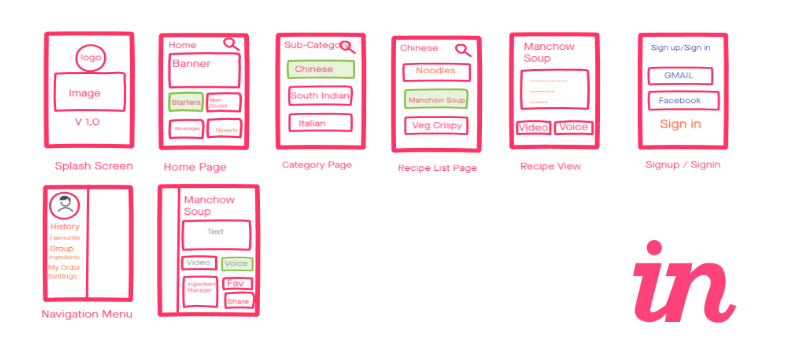
We sketched the low fidelity wireframes in invision studio.

High-Fidelity Wireframes

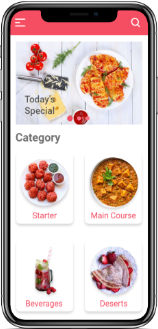
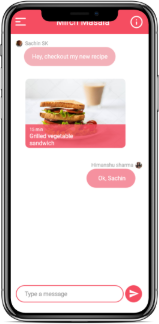
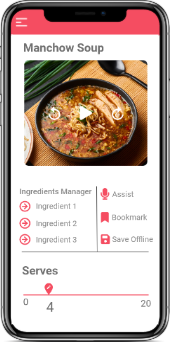
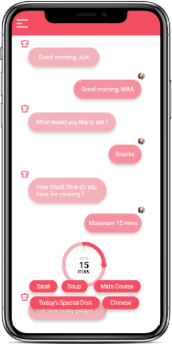
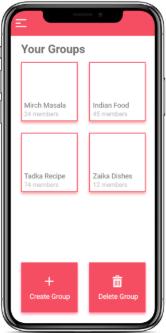
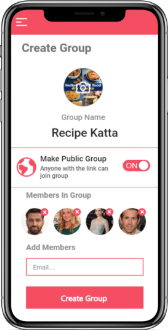
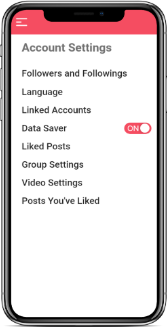
After making changes in low-fidelity wireframes we moved on to designing this high fidelity wireframes

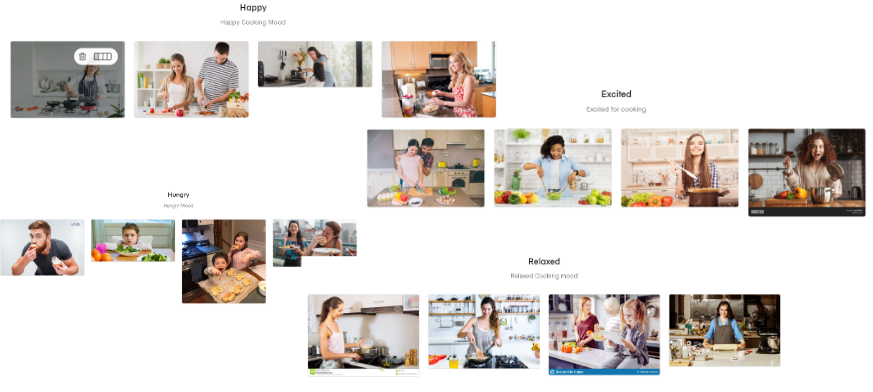
Mood Board

Mood board help in deciding the right color pallete for user interface

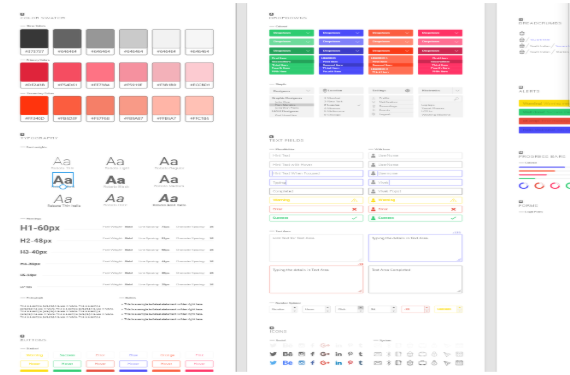
Style Guide

Style guide helps us in defining colors, typography, size, pattern and components we are going to use in designing user interface

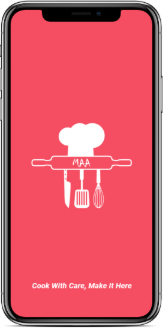
Prototype

Prototype are detailed representations of the interface, showcasing the final layout, typography, colors and components. They provide realistic view of the user experience, making it easier to validate visual decisions and prepare for development